pst-plot -- Axes

| Main page |
|
Index |
| Bug list |
| Documentation |
| Doc errors |
| Examples |
| 2D Gallery |
| 3D Gallery |
|
Packages
|
|
References
|
|
CTAN Search CTAN: Germany USA |
|
Statistics |
|
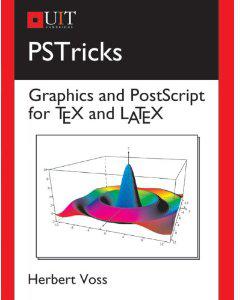
Extended translation of the the 5th edition |
|
the 7th edition, total of 960 colored pages |
|
2nd edition, 212 pages, includes 32 color pages |
|
 |
|
 |
|
 |
|
 |
|
 |
|
|
|
|
|
 |
|
 |
See also on the example pages for labeling axes ...
Decimal Comma
If you want to have a decimal comma instead of the dot use the option
comma for the psaxes macro.
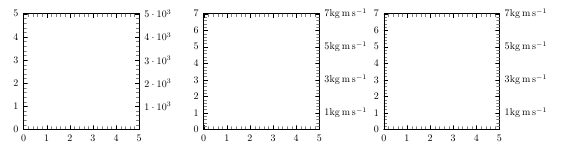
\psaxes[xunit=2cm,Dx=0.5,Dy=0.5,comma]{->}(5,5)
|
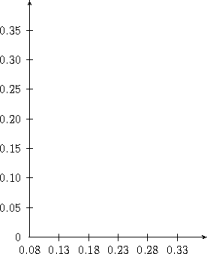
It is very easy to modify the label setting of the axes. The right example shows one for a very small intervall for both axes. \documentclass[12pt]{article}
\usepackage{pstricks,pst-plot}
\begin{document}
\psset{xunit=20cm,yunit=20cm}
\begin{pspicture}(0.7,-0.1)(1.1,0.4)
\psaxes[Ox=0.08,Dx=0.05,Oy=0,Dy=0.05]%
{<->}(0.8,0)(1.1,0.4)
\end{pspicture}
\end{document}
For more examples load the pstricks-add documentation.
|
|
 |
|


|
| Great values | |
|---|---|
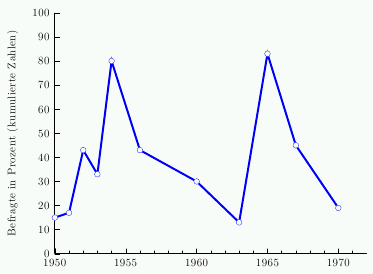
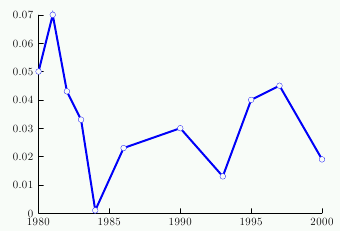
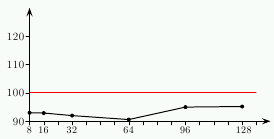
When you have an intervall for one of the axes let's say from 1950...1972,
then it is not possible to choose an unit less than 2.95mm. In this case it is better
to choose an internal interval from 0...22 and starting the axis label with
the value 1950.
|
|
 |
 |
|
|
|
| Multi axes | |
|---|---|
 |
 |
|
|
|
 |
 |
|
|
|
 |
|
|
|
 |
|
|
| Negative x axis | ||
|---|---|---|
 |
|
|
|
|
|
|

|
|
|
|
| Trigonometric labels | |
|---|---|
 |
 |
|
|
|
 |
|
|
|
|
|
|
|
|
|
|
| Special x-axis values | |
|---|---|
 |
 |
|
|
|
|
|
|
|
|
 |
|
|
|
|
| Logarithmic Axes | number as index | ||
|---|---|---|---|
 |
 |
||
|
|
|
 |
|
|
$Id: psaxes 1594 2020-08-20 08:01:11Z hvoss $